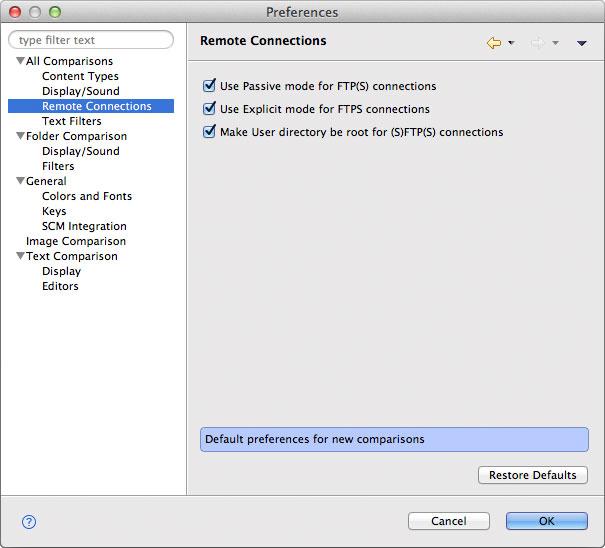
All Comparisons > Remote Connections
This preference page offers access to the following DeltaWalker preferences:
Preference | Description | Default |
Use Passive mode for FTP(S) connections | Allows you to control how data connection for FTP and FTPS protocols are established. For further details see: Active FTP vs. Passive FTP (opens in a new tab) | Passive |
Use Explicit mode for FTPS connections | Allows you to choose between the two methods of invoking client security (opens in a new tab) - Explicit and Implicit. | Explicit |
Make User directory be root for (S)FTP(S) connections | When selected, the User/HOME directory of the user becomes the root folder of the folder hierarchy to be compared. | On |
Appearance