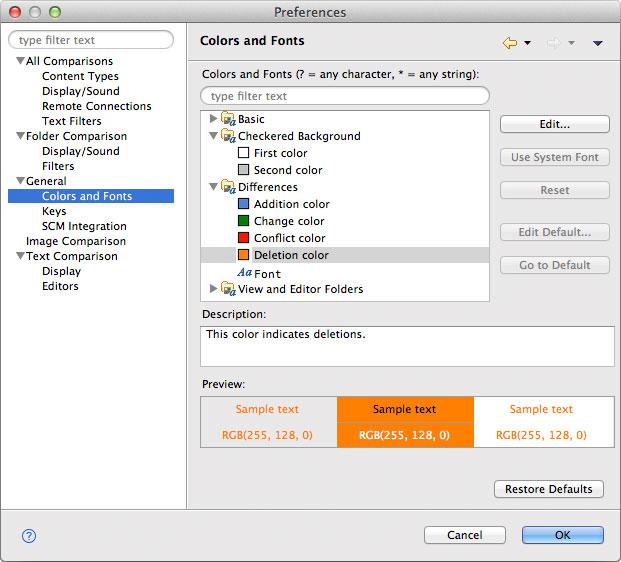
General > Colors and Fonts
This preference page offers you control over most of the fonts and the colors used by DeltaWalker:
The tree in the middle of the page shows the various customizable colors and fonts. The current face (but not size) of any font is previewed in its label. Colors are previewed in the icon associated with its label. For some categories e.g. View and Editor Folders there is a more detailed preview shown below the description area.
DeltaWalker generally uses the fonts and colors provided by the operating system, however those can be easily customized. To change a font select it then click Change to bring up the font selection dialog, or click Use System Font to choose the operating system font. Reset sets all values to their defaults.
The Colors and Fonts text field can be used to filter the contents. Simply type in an entry and any matching results will remain in the tree view.
Descriptions and previews, if available, are displayed when a color or a font is selected.
Appearance